
Introduction
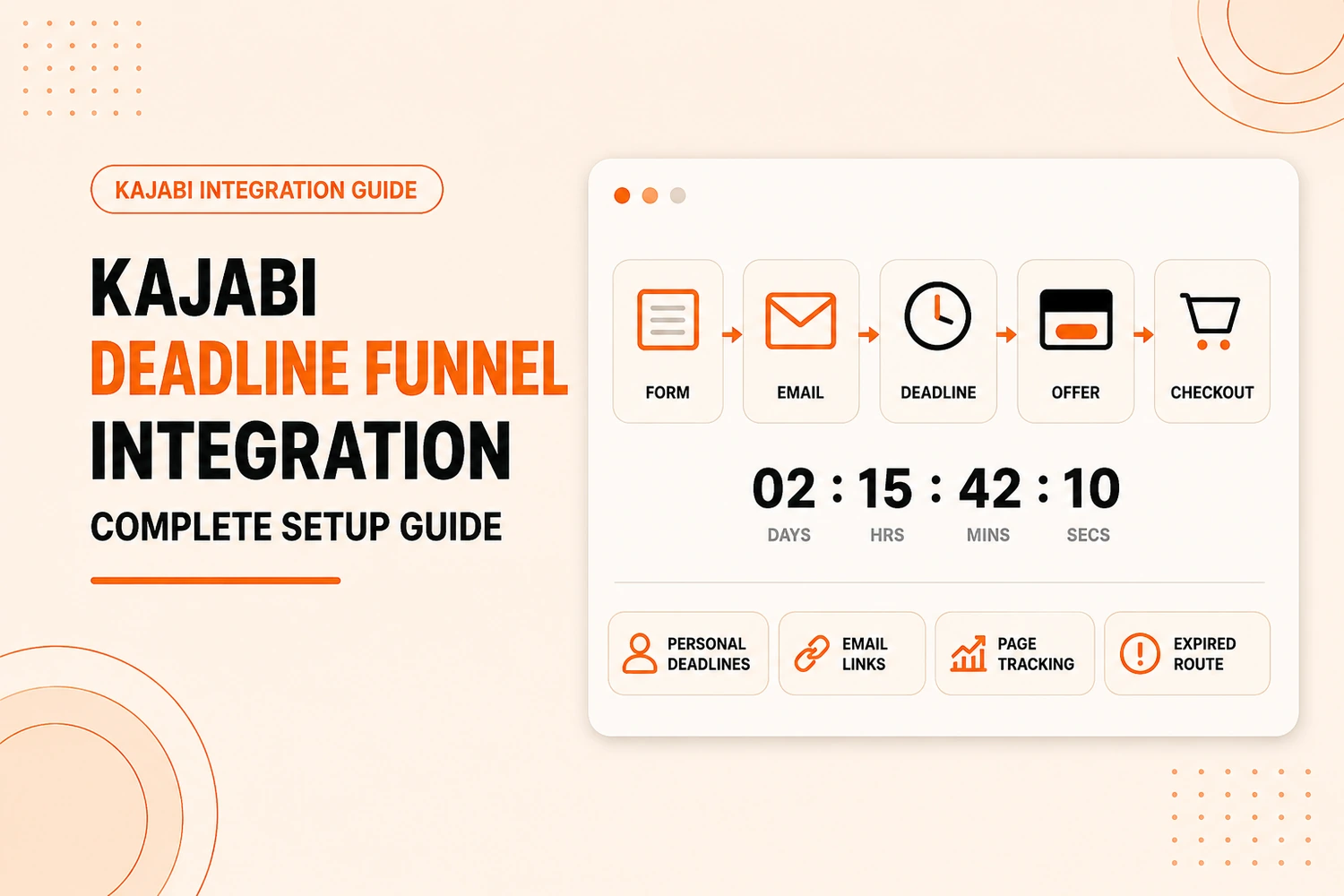
A Kajabi Deadline Funnel integration connects Kajabi’s forms, automations, emails, landing pages, and offers with Deadline Funnel’s individual tracking. Done properly, a subscriber can enter through Kajabi, receive a personal deadline, click from an email to a sales page, and reach either the live offer or the expired destination at the right time.
This guide covers the full setup, including the problems that usually cause mismatched timers or expired offers that remain accessible.
Kajabi Deadline Funnel Integration: Quick Answer
Kajabi can be connected with Deadline Funnel so a Kajabi action triggers a personalized deadline. The deadline can begin from a form submission, an automation, or an offer-related event. Deadline Funnel tracking and timers can then be connected with Kajabi pages, checkout pages, and emails so the same deadline follows the subscriber through the funnel.
Which Kajabi Trigger Should You Use for Deadline Funnel?
Not every business needs the same starting point. The right trigger depends on where urgency actually helps your funnel.
Kajabi Form Submission
Use a form when the deadline should begin as soon as someone opts in.
Deadline Funnel’s Kajabi method uses the form’s Send a notification to your team setting. Add the campaign webhook there so the form submission starts the deadline. Kajabi also documents this notification option within its Form After Submission settings.
Kajabi Automation or Tag
Choose an automation when the deadline should start after a particular action rather than the first opt-in.
Use the Deadline Funnel webhook as the recipient and the Kajabi email merge field in the subject so Deadline Funnel can identify the contact.
This is useful when different forms or customer journeys eventually enter the same timed offer. Availability of Kajabi automations can depend on the Kajabi plan being used.
Kajabi Offer or Purchase
Use an offer purchase when the deadline belongs to a post-purchase campaign, such as a limited-time upgrade or bonus.
Inside the Kajabi offer settings, “Get notified when a purchase has been made” can send the purchase notification to the Deadline Funnel campaign webhook.
How to Set Up Kajabi Deadline Funnel Integration
The setup has a logical order. Skipping ahead to email timers before the tracking code is installed is one of the more common ways this goes wrong.
Step 1: Create Your Deadline Funnel Campaign
Create the campaign first and decide what the deadline controls.
- campaign type;
- deadline length;
- live offer page;
- expired destination; and
- the timer or floating bar you want to show.
For an evergreen campaign, each subscriber can receive their own deadline instead of sharing one fixed closing date.
Step 2: Copy Your Deadline Funnel Webhook
Open the campaign’s Emails area in Deadline Funnel and copy the webhook assigned to that campaign.
If you run several funnels, label each campaign clearly so the wrong webhook does not end up attached to the wrong Kajabi trigger.
Step 3: Connect the Webhook to Your Kajabi Trigger
Add the webhook to the trigger you chose:
- Form: place it in the form’s team notification setting.
- Automation/tag: use a “send email to my team” action and enter the webhook as the recipient.
- Offer purchase: add it to the purchase-notification setting inside the offer.
Trigger it once with a test contact before moving on.
Step 4: Add Deadline Funnel Tracking to Kajabi
For normal Kajabi websites and landing pages, add the Deadline Funnel tracking code under Settings → Site Details → Page Scripts → Header Page Scripts
Kajabi applies this script to standard site pages, but not checkout pages. Checkout tracking is handled separately.
Adding the code site-wide does not put a deadline on every page. Only URLs added to the Deadline Funnel campaign are controlled by that campaign.
Step 5: Connect Your Kajabi Landing or Sales Page
Add the live Kajabi landing or sales page URL inside Deadline Funnel.
Choose how the deadline should appear:
- floating bar;
- inline timer; or
- Deadline Funnel Portal.
Step 6: Connect Deadline Funnel to Your Kajabi Checkout Page
Kajabi checkout pages do not use the normal site-level page script, so add the Deadline Funnel tracking code separately in Kajabi’s checkout tracking settings.
- Two offers: discounted checkout before expiry, then redirect to the full-price offer.
- One offer plus coupon: coupon checkout before expiry, then redirect to the regular checkout without the discount.
Step 7: Add Deadline Funnel Links and Timers to Kajabi Emails
When a Kajabi email sends someone to a campaign page, use the Deadline Funnel email link instead of the plain Kajabi URL.
You can also add:
- an animated countdown;
- dynamic deadline date and time; and
- multiple tracked links to the same offer.
Step 8: Set Up Kajabi Sales Tracking in Deadline Funnel
Deadline Funnel can record Kajabi offer purchases against the campaign.
Open Set Up Sales Tracking in Deadline Funnel, choose Kajabi, set the sale value and copy the sales-tracking webhook.
Then open the Kajabi offer and add that webhook under Get notified when a purchase has been made.
Common Kajabi Deadline Funnel Integration Problems
Almost every issue below traces back to one of the steps above being half-finished, not the platforms fighting each other.
Deadline Funnel timer is not showing on Kajabi
Usually the tracking code ended up on a single page’s custom code block instead of the global theme editor. Go back and check where it was actually pasted.
Deadline does not match between the email and page
A plain Kajabi URL is often the cause. Replace it with the Deadline Funnel email link, clear your test tracking, and run the journey again.
Those links are used to identify the subscriber and retrieve the correct personal deadline when they move from the email to the campaign page.
Kajabi form or automation is not triggering the deadline
Confirm the webhook is attached to the correct form, tag, or automation. Test with a new email address and check whether that contact appears in Deadline Funnel.
The timer works on the landing page but not the checkout page
Install the Deadline Funnel code in Kajabi’s checkout tracking settings. Site-level header page scripts do not automatically cover checkout.
Expired visitors can still access the original offer
Review the expired redirect and offer structure. If the discounted checkout remains directly accessible, the deadline is only cosmetic.
Use a separate full-price offer or a coupon-based route so expiry changes what the visitor can buy. Deadline Funnel documents both approaches for Kajabi offers.
Conclusion
A reliable Kajabi Deadline Funnel integration depends on five things staying connected: the trigger, subscriber identity, page tracking, email links, and expired route.
Build the campaign in that order and test it as a real subscriber from the first Kajabi action through to checkout.
Kajabi Developers works on landing pages, sales journeys, offer connections, integrations, and tracking setups when a campaign needs custom technical support.
Need Help Connecting Deadline Funnel?
We can help configure Kajabi pages, offers, tracking and automation so the deadline follows the customer journey correctly.
Discuss Your IntegrationFAQs
Does Deadline Funnel integrate with Kajabi?
Yes. Deadline Funnel supports Kajabi directly. A deadline can start from a Kajabi form submission, automation/tag workflow, or offer purchase.
How do I connect Deadline Funnel to Kajabi?
Create a Deadline Funnel campaign, copy its webhook, connect it to a Kajabi trigger, install the tracking code, add your Kajabi pages, and use Deadline Funnel links in emails.
Do I need Zapier to connect Kajabi and Deadline Funnel?
No. You do not need Zapier for the standard Kajabi Deadline Funnel integration unless your workflow requires additional apps or custom automation.
Can I add a Deadline Funnel timer to a Kajabi landing page?
Yes. Add the Deadline Funnel tracking code to Kajabi Header Page Scripts, connect the page URL, and choose a floating bar, inline timer, or portal.
Can Deadline Funnel be added to a Kajabi checkout page?
Yes. Add the tracking code in Kajabi checkout settings, connect the offer or coupon URL, and set the page visitors should see after the deadline expires.
What happens when a Deadline Funnel deadline expires in Kajabi?
Deadline Funnel redirects visitors from the timed Kajabi page or checkout to your expired destination, such as a full-price offer or closed-offer page.