
Introduction
Kajabi Liquid Code sits inside Kajabi’s theme system and becomes useful when a website needs dynamic content or more control than the standard visual editor can provide. It helps a theme decide what content to display, repeat, or hide. For website owners, the key point is simple: Liquid works behind the design, connecting theme templates with content and settings stored inside Kajabi.
What Is Kajabi Liquid Code?
Kajabi Liquid Code is the template language used inside supported Kajabi themes to display dynamic content and control how theme files behave. Instead of writing every heading or repeated item directly onto a page, Liquid can pull information from theme settings and decide how that information appears.
A normal HTML page is mostly fixed until somebody edits the code. Liquid makes parts of a Kajabi theme flexible.
Liquid can support:
- Reusable sections
- Website and product layouts
- Navigation structures
- Blog layouts
- Member-facing layouts
- Theme settings
- Dynamic Kajabi content
How Does Kajabi Liquid Code Work?
Website owners can think of Liquid as instructions inside the theme. The theme loads, Liquid reads the content or settings available to it, and then the final HTML is produced for the visitor.
Liquid Output `{{ }}`
Double curly brackets are used when the theme needs to print a value.
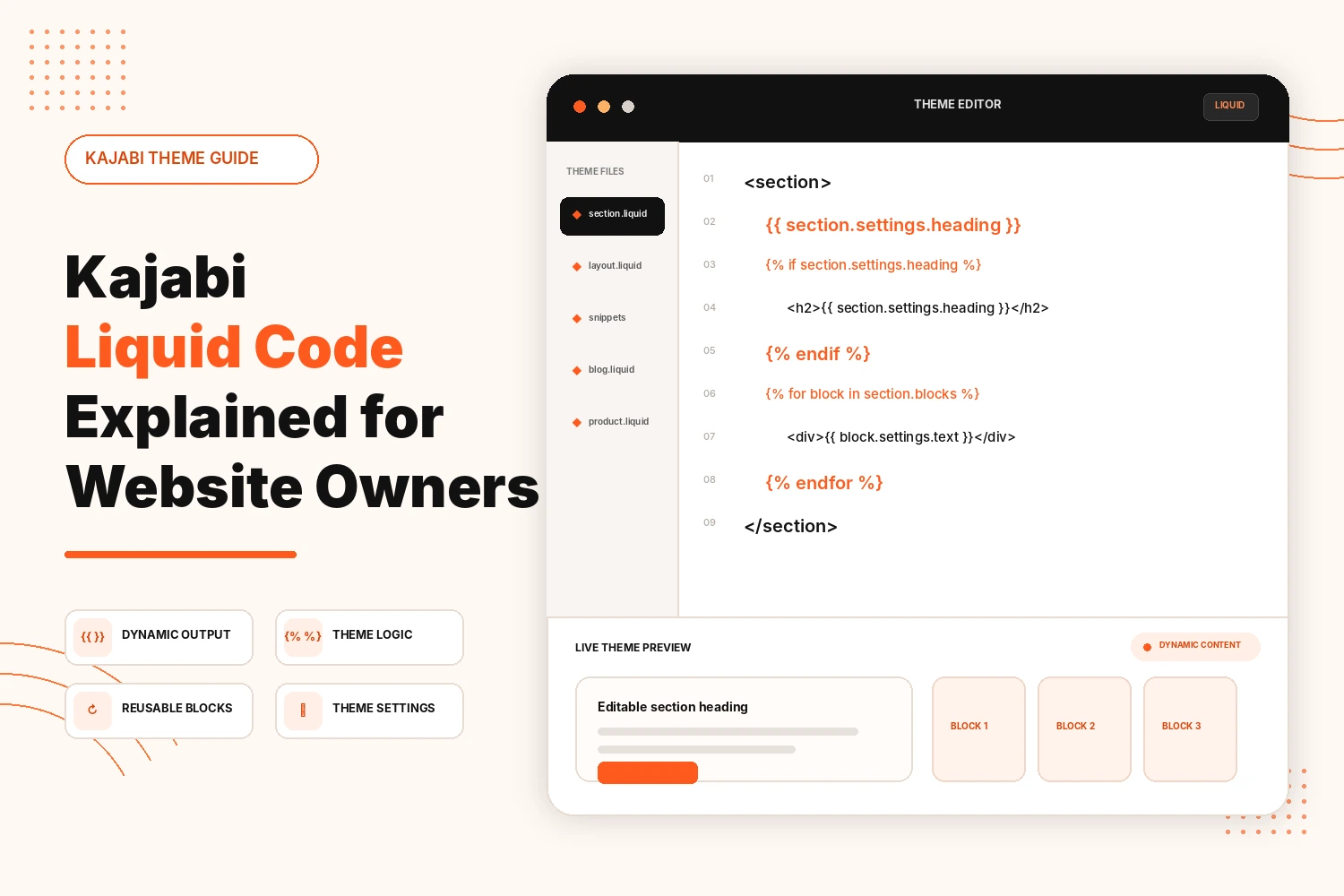
{{ section.settings.heading }}The visitor sees the saved heading, not the Liquid code. This lets a theme keep content editable without hard-coding the final wording into the template.
Liquid Logic `{% %}`
Curly brackets with percentage signs are used for instructions rather than visible output.
{% if section.settings.heading %}The purpose is to show content only when a condition is met. That can prevent unused or empty theme elements from appearing.
Loops, Variables, and Filters
A loop works through a group of items one at a time, which is useful when several blocks share the same layout.
Variables let a template store a value under a temporary name. Filters adjust how an output value is presented before it reaches the page.
Website owners rarely need to memorize these. Their real value is that a theme can handle repeated or changing content without filling the file with duplicated HTML.
Static HTML vs dynamic liquid content
Static HTML prints exactly what is written into the file:
<h2>Join Our Course</h2>That wording stays there until the code changes.
Liquid can make the same heading editable:
<h2>{{ section.settings.heading }}</h2>The HTML still controls the structure, while Liquid supplies the content from the theme setting. That is the practical difference between fixed markup and dynamic theme content.
Where Is Liquid Code Used in Kajabi?
Liquid appears where Kajabi supports deeper theme control.
| Kajabi area | How Liquid may be used |
|---|---|
| Website layouts | Builds shared page structures |
| Theme sections | Outputs section settings and repeated blocks |
| Snippets | Reuses smaller pieces of theme markup |
| Templates | Controls how supported content types are displayed |
| Navigation | Helps build menu structures from available data |
| Blog layouts | Controls blog presentation |
| Product templates | Shapes supported product- or member-facing layouts |
| Theme settings | Connects editable settings with front-end markup |
| Reusable components | Handles changing content without duplicating the full layout |
What Can You Do With Kajabi Liquid Code?
A few of the more useful things Liquid handles for a website owner:
- Greet visitors by name or adjust what they see based on membership status
- Hide or reveal sections depending on what someone has actually bought
- Keep a blog or product list updating itself instead of manually editing every page
- Apply the same formatting—currency, dates, capitalization—across a whole site from one source
- Build a repeating design piece once, such as a testimonial row or resource grid, and keep it consistent everywhere it appears
Kajabi Liquid Code Examples Website Owners Should Understand
You do not need to become a Liquid developer to recognize the common patterns.
1. Outputting an Editable Heading
{{ section.settings.heading }}This pulls a heading value from a section setting and prints it on the page.
2. Combining Liquid With HTML
<h2>{{ section.settings.heading }}</h2>HTML defines the heading element. Liquid supplies the wording.
3. Showing Content Conditionally
A Liquid condition can tell the theme to display an element only when a setting exists or meets a rule.
For a website owner, that means optional theme fields can remain optional without leaving an awkward empty area on the page.
4. Repeating Blocks
A loop can take several related blocks and render the same layout for each one.
Think of a row of feature cards. The card design can be written once, while each block supplies different content.
Can Website Owners Edit Kajabi Liquid Code Themselves?
Yes, but a small output change and a theme rebuild are very different jobs.
Someone comfortable reading HTML and basic Liquid may be able to adjust a simple output line or condition. Shared layouts, snippets, and sections deserve more care because one change can affect several pages.
What Should You Know Before Editing Kajabi Liquid Code?
Use the simplest tool that solves the problem.
If the issue is visual, start with Kajabi’s settings or CSS. If you need a new page component, a custom section may be cleaner. Liquid makes sense when the theme needs dynamic output or deeper template control.
A few habits make theme edits easier to manage:
- Back up working theme code before changing it.
- Change one thing at a time.
- Check shared sections and templates after an edit.
- Test real pages, not only the editor preview.
- Review mobile layouts as well as desktop.
- Recheck custom theme work after future theme changes.
Conclusion
Kajabi Liquid Code makes supported Kajabi themes dynamic. It can pull values from theme settings, apply template logic and reuse structures instead of hard-coding every piece of content into static HTML.
You do not need Liquid for normal content updates or basic styling. It becomes useful when the theme itself needs to respond to content, settings, or repeated structures. Once changes reach shared layouts, snippets, or templates, careful testing matters more than simply adding more code.
Need Help With Kajabi Liquid Code?
We can build or refine Kajabi theme sections, templates and custom functionality without turning the site into a difficult-to-maintain setup.
Build My Custom Kajabi WebsiteFAQs
Does Kajabi use Shopify Liquid?
Yes, Kajabi runs on the Liquid templating language, the same one Shopify built and popularized, adapted for Kajabi's own theme structure.
What is Liquid Code used for in Kajabi?
Mainly to display content that changes: member details, product info, and page sections that update automatically instead of being edited by hand.
Where is Liquid Code used in a Kajabi theme?
Liquid Code is used in supported Kajabi layouts, sections, snippets and templates for websites, blogs, products and member areas.
Can I edit Kajabi Liquid Code myself?
Yes, you can edit simple Liquid code if you understand the theme file and test safely; complex templates and shared sections are better handled by a developer.
Do I need Liquid Code to customize a Kajabi website?
No. Kajabi’s editor, theme settings, and CSS handle many customizations; Liquid is mainly needed for dynamic content and advanced theme control.