
Introduction
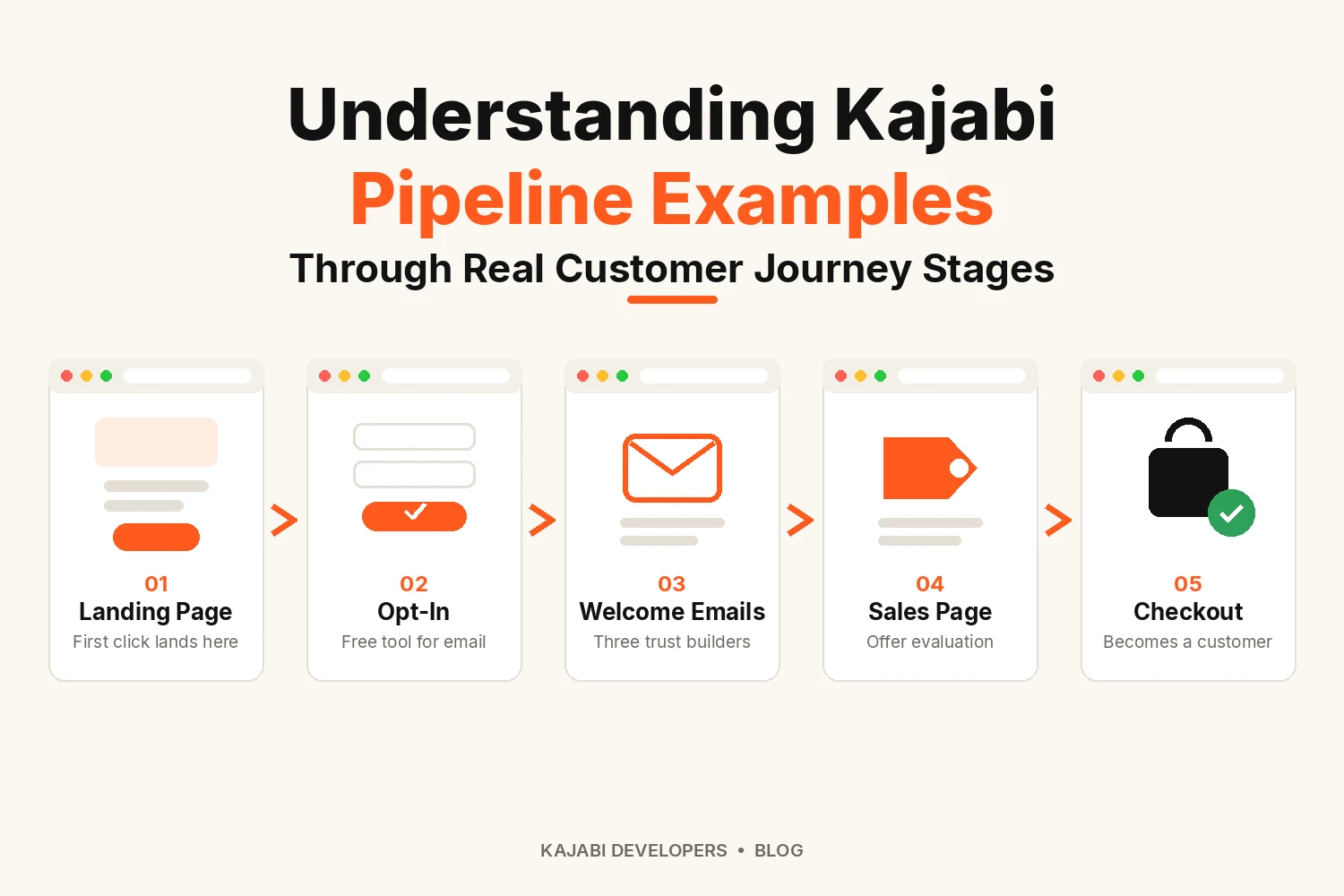
Kajabi pipeline examples work best when you read them as a story about one person instead of a list of pages. Someone finds your site and knows nothing about you. A few weeks later, that same person may become a happy student. A good pipeline guides them across that gap without rushing.
Kajabi now refers to this feature as “Funnels” in the dashboard. However, many creators still use the older term when searching online, which is why you’ll see both terms used here. A funnel links landing pages and email campaigns with your offers. Tags and automations then decide what each contact receives next.
Imagine a bookkeeper who teaches freelancers how to keep clean records. Her paid course is called Tax-Ready Books. The stages below follow her pipeline.
Stage 1: Turn a First Visit into an Opt-In
Strangers rarely buy on a first visit. They want a small taste of your help first. The bookkeeper offers a free monthly expense tracker. The pipeline behind it has three pieces:
- A landing page that promises the tracker
- A form that asks only for a name and an email
- A thank-you page that confirms the download
Kajabi’s own help documentation shows a similar setup, where submitting a form can automatically add a contact to a welcome email sequence. At this stage, there’s no need to ask for too much information. Long forms can easily discourage people from signing up, so two fields are usually enough.
Stage 2: Earn Trust with a Welcome Sequence
Now the tracker sits in an inbox, and the sender is still a stranger. The next emails need to earn a little trust.
Here is a simple three-part sequence:
- Day 1 delivers the tracker with a short hello
- Day 3 shares a common bookkeeping slip that costs freelancers money
- Day 5 gives a ten-minute task that tidies up receipts
None of these emails asks for a sale. Their only job is to show how she teaches.
How Tags Decide What Happens Next
When the last email goes out, an automation can tag the contact as “finished welcome emails.” Kajabi can apply a tag when someone submits a form. It can also do so when a sequence ends or when an offer is purchased. Those tags let you build segments and aim sequences at the right people.
Stage 3: Let Interested Contacts Evaluate Your Offer
A contact who reached the end of the sequence is showing real interest. This stage is where a pipeline can split into paths.
The “finished welcome emails” tag starts a second sequence about tax-ready books. It carries:
- A story from a freelancer who sorted out a year of messy records
- A short video tour of the course dashboard
- A plain note about who the course suits
Signs of an evaluating prospect:
- They open most of the new emails
- They click toward the course page
- They write back with a question about price or time
Before you start building, there’s one planning detail to keep in mind. Conditions like “only if the contact has this tag” require advanced automations.
Stage 4: Turn Evaluation into a Purchase
Now the prospect is weighing your course against other choices. Some are comparing it with doing nothing at all.
Email → Sales page → Offer → Checkout
For tax-ready books, the page covers:
- Who the course helps and who should wait
- What each lesson teaches
- How long access lasts
- Feedback from past students
- Payment choices such as one payment or installments
Use the same course name and price on the offer that appear on the page. Buyers who see a different number at checkout often stop and think again.
Stage 5: Onboard the New Student
A purchase opens a new part of the journey. The student needs to find the course without asking for help.
Kajabi’s help center offers a handy example. When someone buys an offer an automation can add a “paid student” tag to their contact record.
For the bookkeeper, the first week might look like this:
- The offer grants access to the course
- A welcome email explains how to log in
- The automation applies the customer tag
- A short onboarding sequence points to lesson one
- A check-in email arrives seven days later
The tag also keeps the student away from sales emails about a course they already own.
Watch Behavior, Not Just Time
Time alone is a poor guide. Some people decide within a day while others need weeks.
Behavior gives a better signal:
- Visitor to lead: the form gets submitted
- Lead to engaged: the first emails are opened
- Engaged to evaluating: a reply or a click on the course page
- Evaluating to decision: questions about payment or access
- Decision to buyer: checkout is completed
Silence can be a signal too. If someone doesn’t take any action, keep them in their current stage and continue sharing helpful content with them.
Find Where People Drop Off
Your analytics can show you where you’re losing the most people in the journey. Focus on improving that step before making changes anywhere else.
Conclusion
The best Kajabi pipeline examples share one habit. Each stage answers a single question for the person reading. A free tool opens the door, and emails build familiarity. Details and proof follow. Access closes the loop after payment. Pick the stage where your audience gets stuck and build that part first.
FAQs
What does a simple Kajabi pipeline example look like?
A visitor downloads a free tool and receives a short welcome sequence. They later read a sales page and buy an offer.
Can one Kajabi funnel cover the whole customer journey?
Yes. One funnel can take someone from the initial opt-in all the way through to checkout. However, separate funnels can make more sense when you’re selling different courses to different audiences.
What moves a contact to the next pipeline stage?
A form submission or a finished sequence or a purchase can each start the next step through an automation.
When should I move a lead to the next stage?
Move a lead once they have opened several useful emails and shown interest in the topic. A reply or a click to the course page is a good signal.
Does every course need all five pipeline stages?
No. A low-priced course often needs only two or three stages. A higher-priced program usually benefits from all five because buyers need more time to decide.