
Introduction
Seeing your Kajabi traffic grow should be good news.
But if hundreds of people visit your website and very few buy, getting even more visitors may not solve the problem.
Usually, something is going wrong between the first visit and the final purchase.
It could be the wrong traffic, an unclear offer, weak sales copy, lack of trust, or a checkout problem.
Here are the 11 areas we would check first.
Why Is My Kajabi Website Getting Traffic but No Sales?
If your Kajabi website gets traffic but no sales, visitors are usually either not ready to buy, not convinced by the offer, or finding it too difficult to take the next step.
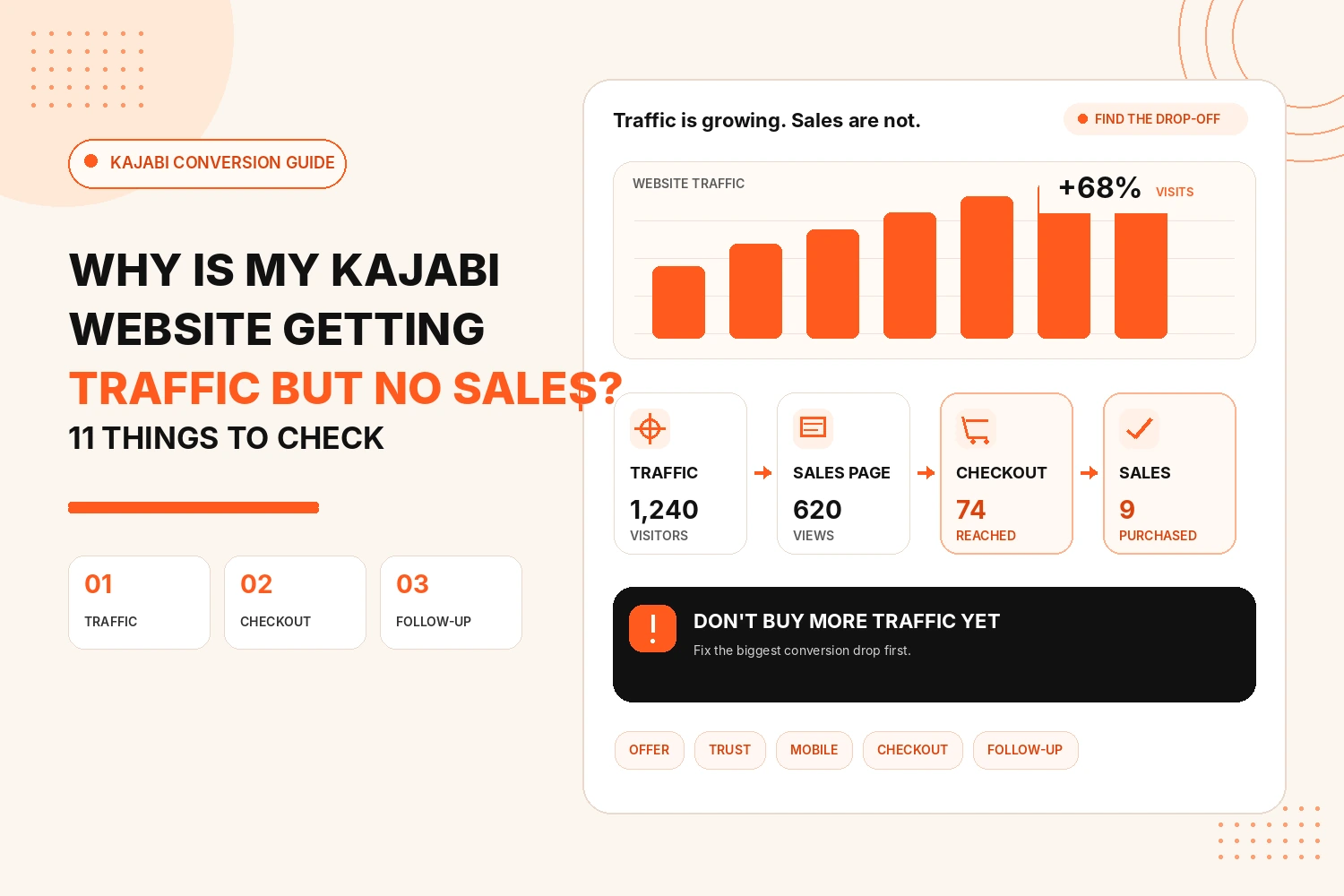
Before redesigning the whole website, look at where visitors are dropping out.
| What You See | What to Check First |
|---|---|
| High traffic but few CTA clicks | Traffic intent and sales page |
| CTA clicks but few checkout visits | Offer or pricing |
| Checkout visits but few sales | Checkout experience |
| Good desktop results but poor mobile sales | Mobile experience |
| People show interest but leave | Trust and follow-up emails |
Do not start by asking, “How can I get more traffic?” Start by asking, “Why are the visitors I already have not buying?”
11 Things to Check When Your Kajabi Website Gets Traffic but No Sales
1. Are You Getting the Right Traffic?
Not every visitor is a potential customer.
A person searching “what is an online course?” is at a very different stage from someone searching “best business coaching course.”
If most of your traffic comes from informational blogs, people may simply be researching rather than looking to buy.
Check which pages and search terms are bringing visitors to your website.
Your SEO strategy should attract people at different stages, but you also need content for people who are close to making a decision.
2. Are Visitors Landing on the Right Page?
Someone interested in a specific course should not have to search through your whole Kajabi website to find it.
Send visitors to the page that best matches what they were looking for.
For example:
- Course search → Course sales page
- Free guide → Lead capture page
- Coaching enquiry → Coaching page
A mismatch between what someone searched for and what they see after clicking can quickly lose the sale.
3. Is Your Offer Clear Straight Away?
A visitor should quickly understand:
- What are you selling?
- Who is it for?
- What will it help them achieve?
Avoid opening your sales page with a long story about your business.
Lead with the result the customer wants.
Kajabi's own guidance for course landing pages also recommends focusing the headline on what the student will be able to achieve rather than simply describing the course.
4. Are You Selling the Outcome or Just the Features?
“12 modules, 30 videos and downloadable PDFs” explains what is inside your course.
It does not explain why someone should buy it.
Connect those features to a result.
12 video lessons
12 simple lessons that take you from beginner to confidently doing X.
People normally buy the change your product can help them make, not the number of videos inside it.
5. Is the Next Step Obvious?
Do not make visitors work out what they should do.
Your main CTA should be easy to see and easy to understand.
Examples could include:
- Join the Course
- Start Learning Today
- Book Your Coaching Call
- Get Instant Access
If someone has to scroll through several sections before they even know how to buy, you may be losing interested customers.
6. Do Visitors Have Enough Reason to Trust You?
People are unlikely to buy an online course or coaching program from someone they do not trust yet.
Add proof where it naturally supports your offer.
This could include:
- Customer reviews
- Student results
- Testimonials
- Case studies
- Your experience
- Clear refund or guarantee information
- Answers to common concerns
Do not add ten testimonials just to fill space.
A few specific reviews that explain the customer's experience can be much more useful.
Weak trust is one of the common reasons websites get interest without conversions.
7. Does the Price Make Sense for the Offer?
Sometimes the problem is not that your price is too high.
The visitor may simply not understand why the offer is worth that price.
Before showing the price, make the value clear.
Explain what customers receive, what problem it solves, and who it is designed for.
If needed, Kajabi also allows you to create different pricing options and payment plans through Offers.
Do not automatically lower the price before checking whether the page explains the value properly.
8. Have You Tested Your Kajabi Checkout?
A visitor can be ready to buy and still leave at checkout.
Go through your checkout yourself.
Check:
- Does the Buy button work?
- Is the correct Offer connected?
- Is the price correct?
- Does the page work on mobile?
- Are you asking for unnecessary information?
- Do payment options work?
- Is it clear what the customer is buying?
Kajabi lets you edit checkout content, fields, branding, payment options, and other parts of the buying experience.
A small checkout problem can waste traffic that was already ready to buy.
9. Does Your Website Work Well on Mobile?
A page may look perfect on your laptop and feel completely different on a phone.
Check your important Kajabi pages on mobile.
Look at:
- Heading size
- Buttons
- Images
- Forms
- Pricing sections
- Popups
- Checkout
Visitors should not need to zoom, search for buttons, or wait for large page elements to load.
If buying feels like work, leaving is easier.
10. Are You Following Up With People Who Do Not Buy?
Most visitors will not purchase the first time they see your offer.
That does not mean they are lost forever.
Give interested visitors a way to join your email list and continue the conversation.
You might send:
Kajabi Email Sequences can automatically follow up after actions such as a form submission or purchase. Kajabi Offers can also be set to send cart-abandonment emails.
This gives people another chance to buy when they are ready.
11. Do You Know Where People Are Dropping Out?
Do not change everything at once.
Find the part of the journey that is actually struggling.
Look at:
If 1,000 people visit your page but only 10 click the CTA, work on the page and offer.
If 200 reach checkout but hardly anyone purchases, look closely at checkout, pricing, payment options, and trust.
Kajabi's Enhanced Checkout can send purchase events to Google Analytics when the integration is connected, which can help you understand what is happening around conversions.
Fix the biggest drop first.
How to Find Where You Are Losing Sales
You do not need to rebuild your whole Kajabi website straight away.
Start with these four questions:
- Are the right people reaching the page?
- Are they clicking the main CTA?
- Are they reaching checkout?
- Are they completing payment?
Each answer points you towards a different problem.
If visitors never click, look at the offer and sales page.
If they click but never reach checkout, check the customer journey.
If they reach checkout but leave, check the price, trust, fields, and payment experience.
That is much more useful than simply trying random design changes.
Conclusion
Traffic is only useful when your website gives visitors a clear path towards becoming customers.
If your Kajabi website gets traffic but no sales, do not immediately spend more money attracting visitors.
Check the traffic quality, landing page, offer, CTA, proof, pricing, mobile experience, checkout, email follow-up, and conversion tracking first.
In many cases, you do not need a completely new website.
You need to find the point where interested visitors are leaving and make that part easier.
Getting Kajabi Traffic but Not Enough Sales?
We can review your Kajabi website, sales pages, Offers, checkout, and customer journey to find what may be stopping visitors from converting.
Improve My Kajabi ConversionsFAQs
Why am I getting Kajabi website traffic but no sales?
The most common reasons are low-buying-intent traffic, an unclear offer, weak sales pages, lack of trust, pricing concerns, or problems in the checkout process.
Does more website traffic mean more Kajabi sales?
Not always. More traffic only helps when you attract the right audience and your website gives them a clear reason and easy way to buy.
How can I improve my Kajabi conversion rate?
Start with your highest-traffic sales page. Check the offer, headline, CTA, testimonials, pricing, mobile experience, and checkout before making larger changes.
Should I lower my Kajabi course price if people are not buying?
Not immediately. First check whether visitors understand the value of your offer. A pricing problem and a value-message problem can look very similar.
Can Kajabi send abandoned cart emails?
Yes. Kajabi Offers include settings that can send cart-abandonment emails when someone leaves the Offer checkout without completing their purchase.
How do I know if my Kajabi checkout is the problem?
Look at how many visitors reach checkout compared with how many complete a purchase. If many reach checkout but few buy, test the checkout yourself and review price, payment options, fields, trust information, and mobile usability.
Do I need to redesign my Kajabi website to get more sales?
Not always. Many conversion problems can be improved by fixing the offer, page message, CTA, trust signals, checkout, or customer journey without redesigning the entire website.