
Introduction
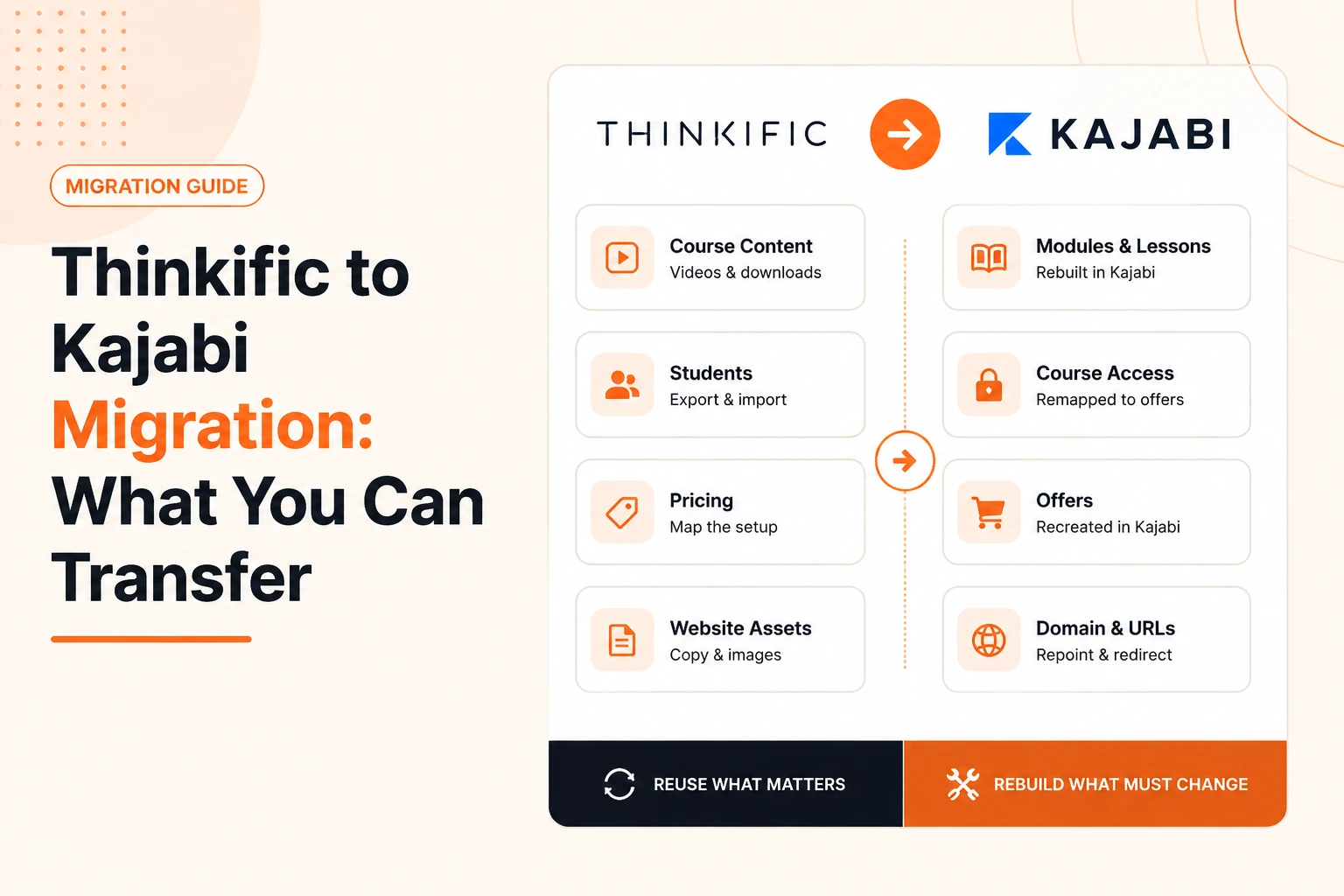
A Thinkific to Kajabi migration is not a one-click copy of one account into another. Some content and customer data can be reused, while other parts have to be rebuilt because Thinkific and Kajabi organize courses, offers, websites, and access differently.
The easiest way to plan the move is to separate your setup into course content, students, selling setup, and website assets. Then decide what can be reused, what needs mapping, and what must be recreated inside Kajabi.
What Can You Transfer From Thinkific to Kajabi?
| Thinkific Element | What Happens in Kajabi |
|---|---|
| Course videos, PDFs, downloads | Reusable, uploaded into Kajabi's structure |
| Course structure and chapters | Rebuilt as Kajabi modules and lessons |
| Quizzes and certificates | Recreated using Kajabi's own tools |
| Student and customer records | Exported, cleaned, then imported |
| Course access and enrollments | Reassigned manually against new offers |
| Pricing plans and subscriptions | Recreated as Kajabi offers |
| Website copy and images | Reusable content, rebuilt as Kajabi pages |
| Page layouts and themes | Not transferable, redesigned in Kajabi |
| Domain | Repointed to Kajabi once DNS is updated |
Can You Transfer Thinkific Courses and Learning Resources to Kajabi?
Most of the course material itself survives the move. What does not survive is the container it currently sits in.
Course Structure and Lessons
Map each Thinkific course before rebuilding it. Record:
- Course name
- Module or section order
- Lesson titles and copy
- Release or drip rules
- Downloads attached to lessons
- Assessments connected to the course
Kajabi organizes course content through products, modules and lessons. Rebuild the learning path so every item sits in the right place rather than trying to reproduce the Thinkific screen.
Videos, Audio, PDFs and Downloads
Original learning files can be reused when you still have access to them.
Collect:
- Course videos
- Audio lessons
- Worksheets and PDFs
- Templates and checklists
- Other downloadable resources
Use original files where possible rather than relying on links hosted through the old platform. The files can then be added to the appropriate Kajabi lessons.
Quizzes, Assessments and Certificates
Quizzes and assessments should be treated as rebuild items.
Before recreating them, record the questions, answer choices, correct answers, passing requirements, and where each assessment appears in the course.
Certificates should also be reviewed as part of the new setup. The goal is to keep the intended completion experience working after the course moves.
Can You Transfer Thinkific Students and Course Access?
Yes, student information can be prepared for import, but course access needs separate mapping.
Keep an untouched export of your Thinkific students, then clean a working copy. Check:
- Duplicate or outdated contacts
- Names and email addresses
- Relevant custom fields
- Which course or membership each person owns
- Marketing consent
- Whether the record is a lead, customer or active student
Importing someone as a contact does not automatically recreate everything they could access in Thinkific.
Each existing student needs to be connected with the correct Kajabi product or offer. Test a small batch first so you can confirm access and login emails before moving the full list.
Can You Transfer Thinkific Offers, Pricing, and Subscriptions to Kajabi?
You can recreate your pricing model in Kajabi, but the selling setup needs to be mapped.
In Kajabi, the product contains the course or membership content. The offer controls how someone buys or receives access.
For every Thinkific plan, record:
- Course or product sold
- One-time, recurring or payment-plan price
- Access period
- Discounts or special pricing
- Customers attached to the plan
- Onboarding connected to the purchase
Then build the matching Kajabi product and offer relationship.
Existing recurring subscriptions need extra care. Do not assume payment history, billing status or an active subscription will move automatically. Review how existing customers will continue to be billed and receive access after the change.
Can You Transfer Your Thinkific Website and Domain to Kajabi?
You can reuse your website content, but a Thinkific website layout does not become a working Kajabi website automatically.
Website Content
Copy, images, testimonials, and brand assets all carry across, but not as a working page. They need to be collected first, then rebuilt as Kajabi pages using Kajabi's own editor.
Website Pages and Layouts
Thinkific themes and layouts do not move into Kajabi in any usable form. Every page—home, sales pages, about, and contact—gets redesigned inside Kajabi's section-and-block builder, using the content pulled from the old site as the starting material.
Domain and URLs
A custom domain can be repointed from Thinkific to Kajabi through standard DNS changes. Allow time for DNS propagation, so this step needs testing before the old platform is switched off, not after.
URLs are worth mapping in advance too. Where a URL structure changes, a redirect should point the old address to its closest equivalent Kajabi page, particularly for pages already receiving organic traffic.
Which Thinkific Elements Need to Be Rebuilt in Kajabi?
A few things simply do not have a direct equivalent and need fresh setup work rather than a transfer:
- Course structure rebuilt as modules and lessons
- Quizzes, assessments and certificates recreated inside Kajabi
- Page themes and layouts redesigned using Kajabi's builder
- Email sequences and automations rebuilt to match Kajabi's trigger and tag system
- Community or discussion features, if used, set up again inside Kajabi Communities
Rebuilding does not mean starting from zero. Your existing copy, files, customer data, and business rules still guide the new Kajabi setup.
How Do You Know the Thinkific to Kajabi Transfer Is Complete?
A migration is complete when the customer journey works, not when the last file is uploaded.
Before closing Thinkific, test Kajabi as a visitor, buyer, and student. Check:
- Website pages on desktop and mobile
- Navigation, buttons and downloads
- Forms and confirmation messages
- Offers, checkout and payment routes
- Welcome and onboarding emails
- Access for different customer types
- Lessons, downloads and assessments
- Drip or access rules
- Student login
- Old URLs and redirects
- Analytics and conversion tracking
Use normal test customer accounts rather than checking everything as an administrator. Admin access can hide permission problems.
Keep Thinkific available until the Kajabi website, products, customer access, payments, and redirects have been checked.
Conclusion
A Thinkific to Kajabi migration is not a single export button. Files, copy, and student records can be reused, but structure, pricing, pages, and automations generally need rebuilding around how Kajabi actually works.
Planning each piece separately, rather than treating the whole account as one transfer, is what keeps a course business running without access gaps or lost revenue during the switch.
Kajabi Developers works on Thinkific to Kajabi migrations, covering course rebuilding, student data, offers, website pages, and domain setup for creators making the move.
Planning a Thinkific Migration?
We can help rebuild courses, map student access, recreate offers and move your website into Kajabi with a clear migration plan.
Plan My Kajabi MigrationFAQs
Can I transfer my Thinkific courses to Kajabi?
Yes. Course content and learning files can be moved, but the course structure normally needs to be rebuilt inside Kajabi using its modules and lessons.
Can I migrate Thinkific students to Kajabi?
Yes. Student records can be exported, cleaned, and imported, then manually assigned to the matching Kajabi product and offer.
Does Thinkific student progress transfer to Kajabi?
No, lesson completion and progress data generally do not carry over and need to be reviewed separately before the switch.
Can Thinkific quizzes and assessments be transferred to Kajabi?
No. Quizzes, assessments, and certificates need to be recreated using Kajabi's own quiz and certificate tools.
Can I move my Thinkific website to Kajabi?
Website copy and images can be reused, but pages and layouts need to be rebuilt inside Kajabi's website builder.
Will my domain change when moving from Thinkific to Kajabi?
No. A custom domain can be repointed to Kajabi through DNS changes, though propagation should be tested before cancelling Thinkific.