
Introduction
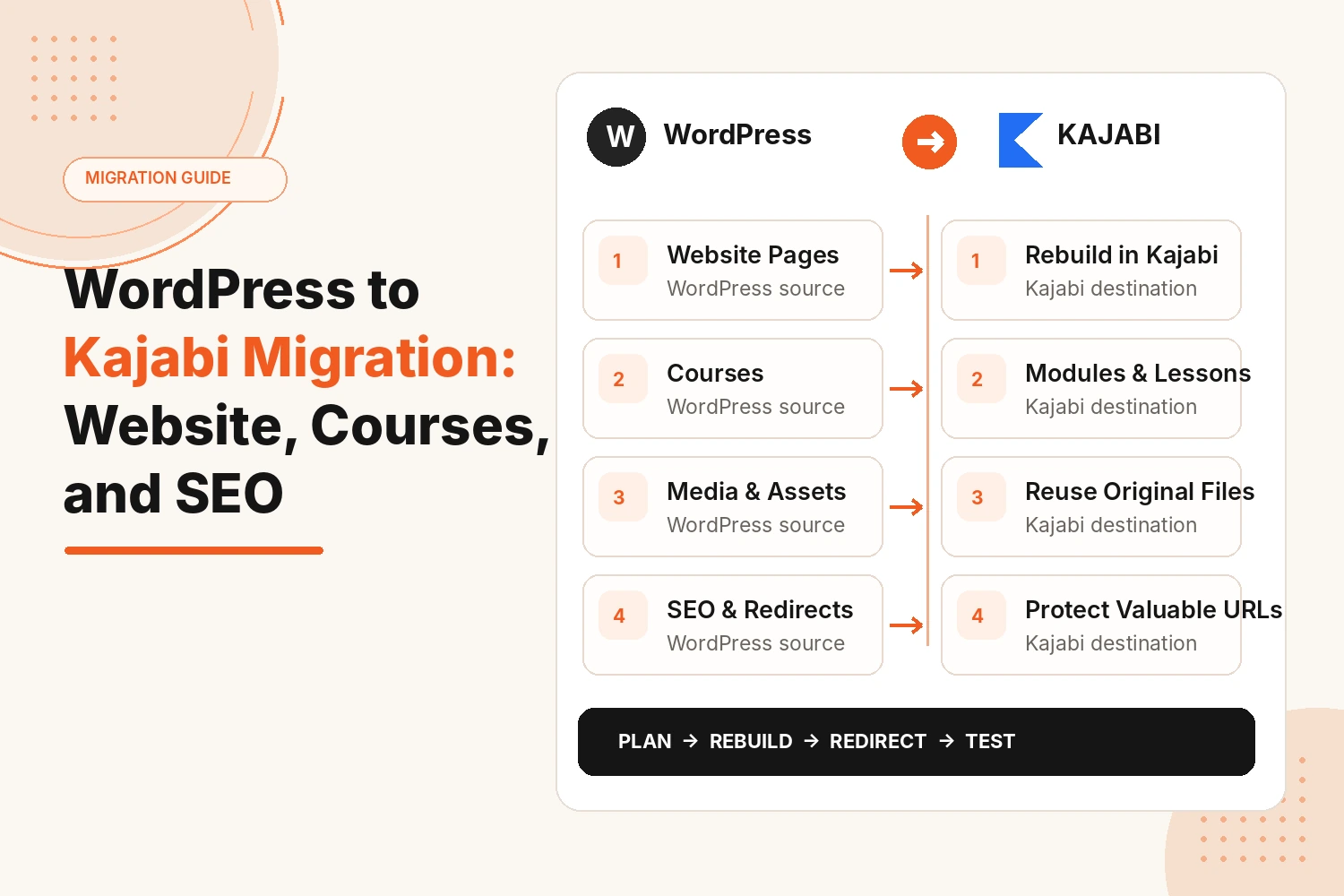
A WordPress to Kajabi migration is not a direct website import. The useful parts of your current setup can come with you, but many of them need to be rebuilt in a way that fits Kajabi.
That includes website pages, courses, established URLs, and the domain your audience already knows. Keep the content that still matters, rebuild what Kajabi handles differently, and give every important WordPress URL a clear destination.
What Can Be Migrated From WordPress to Kajabi?
Some WordPress assets can be reused as content. Others need recreating because WordPress and Kajabi use different website and course structures.
| WordPress element | What happens in Kajabi? |
|---|---|
| Website copy | Reused on newly built Kajabi pages |
| Images and brand assets | Reused where they fit the new design |
| WordPress page layouts | Rebuilt or adapted inside Kajabi |
| Menus and internal links | Recreated around the new structure |
| Forms | Set up again for the required Kajabi flow. |
| Blog content | Selected content can be moved or rebuilt |
| Course videos and downloads | Added to the relevant Kajabi lessons |
| Course structure | Reorganized into Kajabi modules and lessons |
| Quizzes or assessments | Rebuilt where required |
| Custom domain | Connected once the Kajabi site is ready |
| Existing URLs | Kept where practical or redirected |
| SEO page details | Important titles, descriptions, and headings carried over where relevant |
How Do You Migrate a WordPress Website to Kajabi?
A website migration works best when the new site is planned before the old one is changed.
Audit the Existing WordPress Website
Start by looking at what is actually live. Do not assume every page deserves a Kajabi version. Some may be outdated, duplicated, or tied to offers you no longer use.
Review:
- Main website pages
- Blog content worth keeping
- Landing and sales pages
- Contact routes
- Header and footer navigation
- Important downloads
- Pages receiving useful search traffic
- URLs linked throughout the site
Rebuild the Required Pages in Kajabi
WordPress themes and layouts do not transfer into Kajabi as working designs. The required pages need rebuilding with Kajabi's website tools, using the existing brand and content as the source.
That may include the:
- Homepage
- About Page
- Service page
- Program page
- Course sales page
- Contact page
- Blog page
- Campaign landing page
Recreate Navigation, Forms, and Internal Links
Check how visitors move through the current WordPress website.
Rebuild the main menu, footer links, and important buttons in Kajabi. Make sure each link leads to the correct page, offer, or form.
Review internal links in the content you are moving. Update any links that still point to old WordPress URLs or pages you are no longer keeping.
Connect the Existing Domain
Record your current domain and DNS settings before making changes.
Connect the domain to Kajabi after the new pages, links, and forms have been checked. This keeps the switch organized and gives you a clear record of the original setup if something needs correcting.
How Do You Migrate WordPress Courses to Kajabi?
If your WordPress site uses an LMS or membership setup, the teaching material may still be reusable, but the course needs a new structure inside Kajabi.
Map the Existing Course Structure
Before uploading files, write down how each course currently works.
Record:
- Course name
- Module or section order
- Lesson titles
- Video or audio files
- PDFs and downloads
- Assessments
- Important release or access rules
Rebuild Courses Inside Kajabi
Create the Kajabi product, then organize the material into modules and lessons.
Preserve the learning logic rather than the WordPress screen layout. A structure built around a particular LMS plugin may need small changes once it is inside Kajabi.
Check lesson names, order, and navigation from a student's point of view.
Move Course Resources
Use original course files wherever possible.
Add videos, audio, worksheets, PDFs, and other downloads to the lessons where students need them. Quizzes or assessments that matter to the program should be recreated rather than assumed to transfer automatically.
Check Student Access
Do not test only as an administrator.
Use a normal student account and confirm that the right course appears, lessons open, downloads work, and the learner can return after logging out. If customers have different access levels, test those separately.
How Do You Protect SEO During a WordPress to Kajabi Migration?
SEO can suffer when useful pages change addresses without a plan. WordPress offers broader technical SEO control, while Kajabi uses a more managed structure, so URL decisions need to happen before launch.
Map Old WordPress URLs to New Kajabi URLs
List important WordPress URLs and place the intended Kajabi destination beside each one.
Prioritize pages that:
- Receive organic visits
- Have useful backlinks
- Rank for valuable searches
- Are linked throughout the website
- Support an important service or course
Keep Important URLs Consistent Where Possible
If an existing URL is short, relevant, and already performing well, keep it consistent where practical.
Do not rename pages simply because the platform is changing.
Add Redirects for URLs That Change
When an address must change, send the old URL to the closest relevant new page.
Avoid sending every retired page to the homepage. Someone looking for a specific course, article, or service should reach a page that still answers the same need.
Test changed URLs after launch.
Preserve Important On-Page SEO Elements
Review the parts that already explain the page clearly:
- Page title
- Main heading
- Meta description
- Useful body content
- Internal links
- Image information where relevant
You can improve weak content during the rebuild, but changing the URL, topic, heading, and copy at the same time creates unnecessary uncertainty.
Check SEO After the Kajabi Site Goes Live
After launch, check for:
- Broken old URLs
- Missing pages
- Incorrect titles or descriptions
- Links still pointing to WordPress addresses
- Unexpected 404 errors
- Important pages that are hard to reach
A migration is not finished the moment the domain points to Kajabi.
What Should You Test Before Switching From WordPress to Kajabi?
Run through the new setup like a visitor and student before closing WordPress.
Check:
- Key pages on desktop and mobile
- Header, footer, and menu links
- Forms and confirmation steps
- Course lessons, media, and downloads
- Student login and access
- Sales or offer buttons
- Domain and main site address
- Old URLs and redirects
- Page titles, headings, and descriptions
- Internal links
- Analytics or tracking still required
Keep WordPress available until these checks are complete. It gives you something to compare against if a page, file, or setting has been missed.
Conclusion
A WordPress to Kajabi migration is really three smaller projects happening in parallel: the website gets rebuilt, the courses get rebuilt, and the SEO that already exists gets protected along the way. Give each one its own checklist instead of trying to move the whole account in one go, and the switch stops feeling like such a leap.
If years of plugins and page builders have left your WordPress site messier than you'd like, or mapping every URL and course module yourself sounds like more than you want to take on, Kajabi Developers handles WordPress to Kajabi migrations from the initial audit through to launch.
Planning a WordPress to Kajabi Migration?
We can help rebuild the website, courses and customer journey while protecting important URLs and launch checks.
Plan Your MigrationFAQs
Can you migrate a WordPress website directly to Kajabi?
Not directly. Content can be reused, but WordPress pages and themes have to be rebuilt inside Kajabi's own website builder.
What can be migrated from WordPress to Kajabi?
You can migrate website copy, images, selected blog posts, course media, downloads, and branding. Kajabi pages, forms, and course structures usually need to be recreated.
Can WordPress courses be migrated to Kajabi?
Yes. Videos, audio, lesson content, PDFs, and downloads can be moved into Kajabi and organized into products, modules, and lessons.
Will a WordPress to Kajabi migration affect SEO?
It can if URLs, redirects, metadata, or internal links are mishandled. Preserve valuable URLs where possible and redirect changed WordPress URLs to relevant Kajabi pages.
Can I keep my existing domain when moving from WordPress to Kajabi?
Yes. You can usually connect your existing custom domain to Kajabi by updating the required DNS settings after the new site is ready.
What happens to old WordPress URLs after moving to Kajabi?
Any URL that changes should redirect to its closest matching Kajabi page, especially those that are already bringing in search traffic or earning backlinks.