
Introduction
A Kajabi migration can involve customer records, course information, offer details, tags, email data, files, and other information your business still needs after the move. Keeping that information secure is not only about making a backup. You also need to know which copy is the original, what changed during preparation, and how you will prove that the final Kajabi data matches what you intended to move.
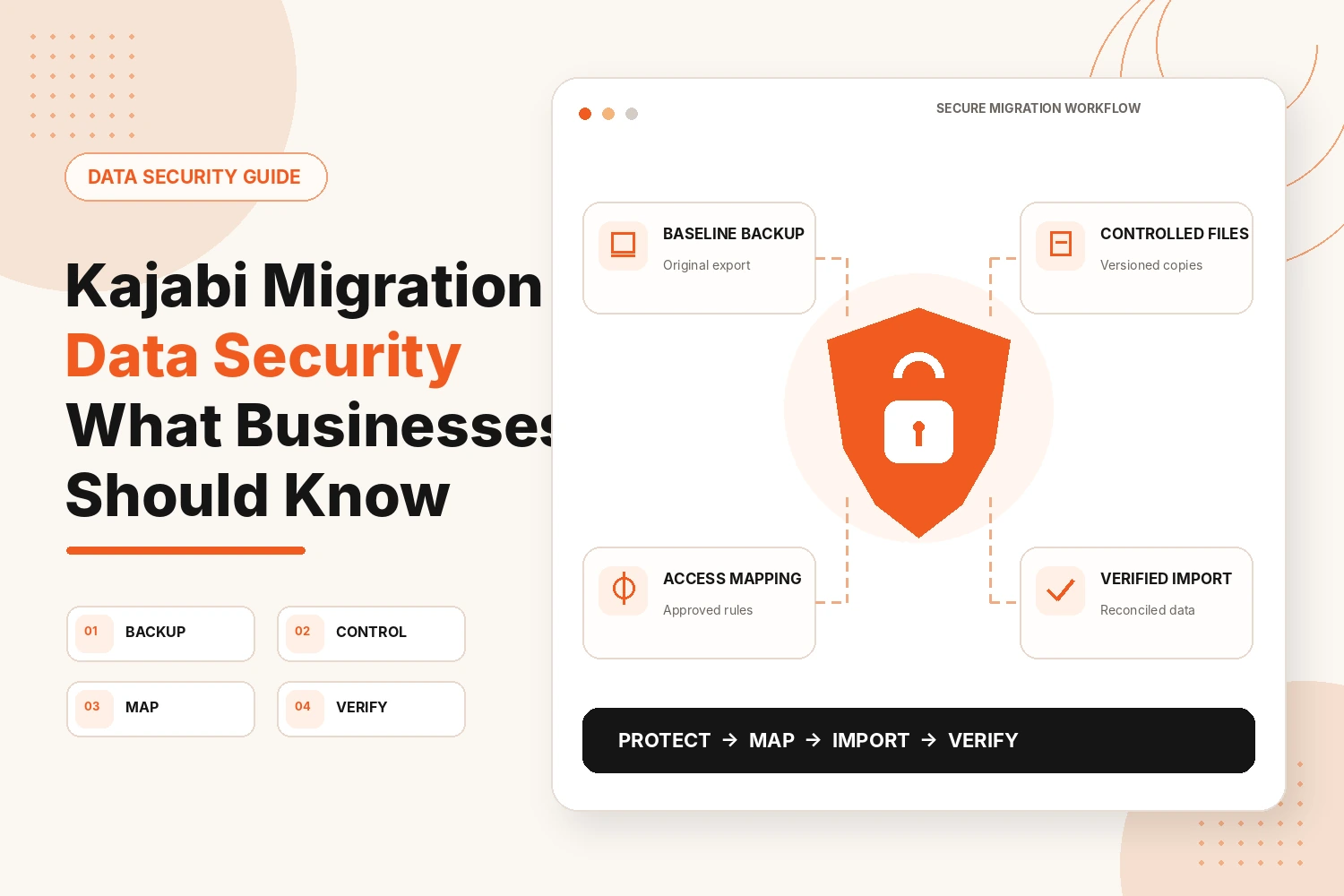
That is the purpose of Kajabi migration data security: protect the original information, control the copies used during the move, and verify the final result before anything is retired.
What Business Data Needs Protecting During a Kajabi Migration?
The most important data is information that identifies a customer, affects what they can access, or changes how the business treats that record.
Think about it in four groups:
- Identity data: names, email addresses, and contact fields.
- Entitlement data: the product, membership, or access a customer should have.
- Communication data: tags, subscriber status, and other information used to place people correctly.
- Business-rule data: relationships between a customer, product, offer, and access condition.
The relationship between fields matters as much as the fields themselves.
How Should Businesses Approach Kajabi Migration Data Security?
Create the order before anybody starts editing the exported data. Once several spreadsheet copies are moving between folders or team members, it becomes harder to know which version should be trusted.
Keep an Untouched Backup of Your Original Data
Create one baseline copy of each important export and do not use it for editing. Label it with the source platform and export date. Record:
- File name
- Export date
- Data type
- Record count
The goal is not to create many copies. It is to preserve one reliable comparison point. Name working files separately. If another round of changes is needed, save a new version instead of overwriting the previous one. You should always be able to identify the original export, the prepared file, and the version approved for migration.
Clean Customer and Contact Data Before Importing
Treat every meaningful edit as a change that can be explained later. Instead of silently correcting or deleting a questionable record, use a review column or change log. Record:
- The record being changed
- Original value
- Revised value
- Reason for the change
- Whether approval is needed
Correcting capitalization is minor. Changing an email address, subscriber status, or access-related field is not. If a record is unclear, place it in a review group instead of guessing. Cleaning should improve the working file without removing the history needed to understand important changes.
Map Products, Offers, and Customer Access
Access decisions should be agreed upon before the import file is used. Create a separate authorization reference showing how each source group should be treated in Kajabi.
Record:
- Source group or identifier
- Intended Kajabi product
- Intended offer or access route
- Special access condition, if any
- Approval status
The authorization reference should guide the migration rather than being changed casually while customer records are being handled. If someone does not fit an approved rule, flag that record for review rather than placing it into the closest available category.
How to Keep Business Data Secure During the Kajabi Migration?
Once importing starts, traceability matters. You should know which data set was used, what it contained, and whether anything differed from the approved migration file.
Transfer Data in Controlled Stages
Give every import stage its own entry in a migration log.
Record:
- Working-file version
- Customer group included
- Expected record count
- Import date
- Exceptions found
If a problem requires an edit, stop and create a new file version before continuing. This prevents the spreadsheet currently being worked on from becoming different from the data that was actually imported.
It also gives you a clear history if a question appears later about when a particular group entered Kajabi.
Test a Small Import Before the Full Migration
Use the first small import as a data-validation check. Do not only ask whether Kajabi accepted the file. Compare the imported records with the version approved for migration.
Look for:
- Empty or misplaced fields
- Missing tags or identifiers
- Unexpected duplicates
- Records that did not import
- Access-related values that changed
Put every difference on an exception list. The test is complete when each difference has an explanation, not simply when the import finishes without an error.
Check Customer Access and Subscription Mapping
Give extra attention to customer access where an error would change what a paying customer receives. Create a high-risk review group for customers with more complicated arrangements, such as
- More than one product
- Payment plans
- Recurring access
- Time-limited access
- Manually adjusted access
Compare these records with the approved authorization reference. If Kajabi does not match the agreed rule, keep the record on the exception list until the difference has been resolved and checked again.
Do not make a quiet correction and forget about it. Recording the exception helps determine whether the same issue affected any other records.
What Should You Check for Better Kajabi Migration Data Security?
Verification should establish whether Kajabi can now be treated as the authoritative destination for the migrated information.
Compare Migrated Records With Your Original Data
Start with totals, then work down. Compare the expected record count with the Kajabi result. Next, compare smaller groups such as customers connected with a particular product or access type.
Then:
- Review records that did not import
- Investigate unexpected duplicates
- Confirm every exception has an outcome
- Sample individual records against the approved migration data
A matching total is useful, but it is not proof by itself. One missing record and one duplicate can still produce the same number. Use totals, subgroup checks, and individual sampling together. Each check catches a different type of problem.
Test Kajabi Using a Customer Account
Use customer accounts for record-level verification rather than repeating a full customer-journey test. Choose a few records with different profiles. For each one, compare the approved migration data with what Kajabi shows.
Check only information related to the move:
- Customer identity
- Product relationship
- Access status
- Relevant tags or identifiers
The purpose is to verify the migrated record, not simply prove that somebody can log in.
Check Products, Access, Emails, and Automations
Focus here on relationships created by migrated data. If a tag is meant to identify a particular customer group, confirm the correct records carry it.
If an approved rule connects a group with a product or offer, check that relationship. Create an exception report for anything that does not match, such as
- Missing relationship
- Unexpected tag
- Incorrect access
- Duplicate record
- Record that failed to import
- Information in Kajabi that is absent from the approved migration file
This keeps the review focused on data integrity instead of repeating the general functional testing already carried out elsewhere in a migration.
Keep Your Old Platform Active Until Verification Is Complete
Do not retire the source system while unresolved data exceptions remain. Use a formal sign-off rather than an informal decision that everything appears fine.
Before closing the old system, confirm that:
- Record totals are reconciled
- High-risk records are reviewed
- Exceptions are resolved or documented
- Representative customer records are checked
- The final migration file is identified
- Kajabi has been accepted as the authoritative system
After sign-off, review the temporary files created during the project. Keep the source information the business genuinely needs, but remove unnecessary working copies from shared folders, downloads, and personal devices.
Conclusion
Kajabi migration data security is about maintaining a clear chain from the original information to the final Kajabi record. Preserve one baseline source, document material changes, apply approved access rules, log imports, and reconcile exceptions before sign-off. That gives you more than a completed transfer. It gives you a migration you can trace, check, and verify.
Need a More Controlled Kajabi Migration?
We can help plan the migration, prepare the data, map access rules, test imports and verify the final Kajabi setup before the old platform is retired.
Plan My Kajabi MigrationFAQs
How do I keep customer data secure during a Kajabi migration?
Use one protected source export, controlled working versions, a record of important edits, an exception list, and a final reconciliation against the approved migration data.
What data should I back up before migrating to Kajabi?
Back up contacts, purchase and subscription history, course files, product and offer settings, and your existing account login details.
How can I prevent data loss during a Kajabi migration?
Never edit your only source export. Use versioned working files, log each import, investigate records that fail to move, and compare the final data with the approved migration file.
How do I check that customer data migrated correctly to Kajabi?
Compare migrated records against your original backup, then log in as a test customer to confirm access, content, and billing all match.
Should I keep my old platform active after migrating to Kajabi?
Yes. Keep it live and unchanged until you have fully verified customer access, payments, and automations inside Kajabi.