
Introduction
A customer pays for your course through Shopify; the money lands, then the email arrives: “I just paid, but I can’t see the course.”
That email is the sound of a Kajabi Shopify integration going wrong. When checkout and access depend on an embedded Shopify button, Zapier, or another automation layer, every handoff is somewhere something can quietly break.
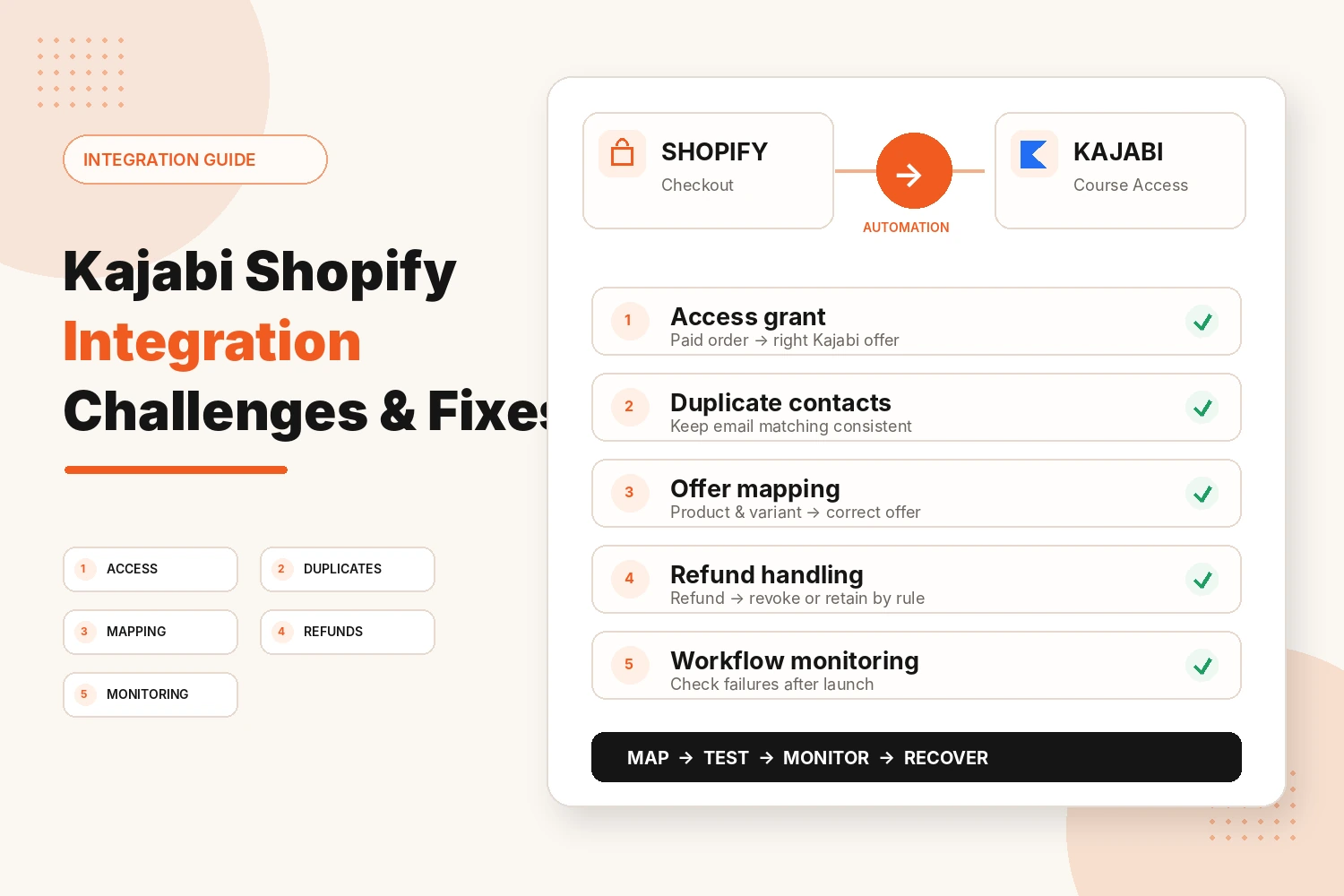
In this guide, we’ll walk through five common problems and show you how to fix them before they cost you a customer or a sale.
How Does the Kajabi Shopify Integration Actually Work?
Kajabi does not currently provide a native Shopify app connection. Businesses usually link the two in one of these ways:
- Shopify Buy Button: Create the button in Shopify and embed the code on a Kajabi page. The customer pays through Shopify. Kajabi documents this as an option for selling physical products.
- Zapier: Use Shopify as the trigger and Kajabi as the action when an external event needs to grant or revoke access to a Kajabi Offer.
- Other automation tools: Platforms such as Make or Pabbly Connect can be used for similar workflows when the required actions are supported.
Plenty of stores use both a button on the page and an automation behind it. The button handles the Shopify sale. Kajabi still needs the customer and access information passed into the right Offer when the purchase should unlock a course.
The Common Challenges Most Businesses Run Into
Start with the problem you are actually seeing.
Shopify Buyers Don’t Receive Their Kajabi Access
This is the complaint that usually shows up first. Someone pays, waits, and then emails asking where the course is.
Usual reasons:
- The Zap was switched off after an edit and never turned back on.
- The buyer used one email at Shopify checkout and another to log in to Kajabi.
- The workflow fires on the wrong Shopify order state instead of the event you actually trust.
- The automation plan has hit a usage or task limit.
A missed grant means a paying customer has nothing to open, and the support inbox often discovers the failure before the team does.
Duplicate Contacts in Shopify and Kajabi
Kajabi identifies a contact by email address. Shopify creates its own customer record at checkout. If someone uses a work email once and a personal one later, you can end up with duplicate contacts for one person.
Automation can make this mess harder to diagnose when more than one workflow is creating or updating customer records. The result can be duplicate tags, repeated welcome emails, and contact totals that no longer line up neatly with order data.
The Wrong Kajabi Offer Gets Granted
Shopify sells products and variants, while Kajabi grants access through Offers. One course may therefore be sold through several Shopify products or variants that need different Kajabi access rules.
Problems start when the mapping is loose:
- A Zap matches on product name, then somebody renames the Shopify product.
- Variants such as Monthly and Annual both point at the same Kajabi Offer.
- A bundle grants one course when the buyer should receive several products.
Use stable product and variant identifiers wherever the automation tool supports them, and document which Shopify item maps to which Kajabi Offer.
Refunds and Cancellations Leave Access in Place
The purchase journey often gets all the attention while the reverse journey gets none.
Treat these as two separate workflows:
Shopify purchase → grant the Kajabi Offer
Shopify refund or cancellation → revoke or retain Kajabi access according to the agreed rule
Do not assume the purchase automation also handles the reverse process. Kajabi’s Zapier actions support both granting and revoking access to an Offer, so build and test the refund path separately.
Decide the business rule first. Some products may lose access immediately, while another product may keep access for a defined period after refund or cancellation.
Integration Workflows Fail Without Being Noticed
Automation failures can be easy to miss if nobody is reviewing the workflow history or comparing orders with successful Kajabi access grants.
Common causes include:
- The Shopify or Kajabi connection expires and needs to be reconnected.
- A required field is missing or no longer matches what the automation expects.
- A theme or page change removes or breaks an embedded Shopify Buy Button.
- An app or workflow change alters the data being passed into the next step.
How Businesses Can Avoid Kajabi Shopify Integration Problems
Most problems trace back to one root cause: the integration was connected quickly and never properly mapped, tested, and monitored.
Map Every Product to Its Offer on Paper First
Before touching Zapier or a Buy Button, write down every Shopify product, its Kajabi Offer, and what should happen on refund. Keep one document the whole team can see.
| Shopify product | Kajabi offer | On refund |
|---|---|---|
| Flagship course | Flagship Offer 2026 | Revoke access |
| Starter workshop | Starter Offer | Keep access for 30 days |
| T-shirt | None (physical only) | Nothing to revoke |
A simple mapping sheet prevents two common mistakes: granting the wrong Offer and forgetting what should happen when the original order is reversed.
Test the Full Journey Like a Real Customer
Do not test only as an administrator. Admin access can hide the exact failure a customer will experience.
- Buy with a fresh email address.
- Check that the course appears and the expected access email arrives.
- Refund the order and confirm the agreed access rule is applied.
- Repeat the process on a phone, since many customers buy there.
Test every mapped product and important variant. One working product proves only that one workflow works.
Monitor Zaps and Buttons After Go-Live
Launching is where the checking starts. Set a regular review to:
- Read the automation history for errors or halted runs.
- Enable the error notifications available in your automation platform.
- Click live Shopify Buy Buttons after theme or page edits.
- Compare Shopify order counts with the Kajabi Offer grants you expected.
Mismatched numbers are one of the quickest signs that something stopped between payment and access.
Keep One Source of Truth for Customer Data
If both platforms are treated as the master customer database, duplicate and conflicting records become harder to resolve.
For many course businesses, Kajabi is the system where course access, communication, and member activity live, while Shopify is the system of record for the Shopify order. Define those responsibilities clearly before automations start copying data in both directions.
Document the Setup So the Next Person Doesn’t Break It
Keep one handover file for each workflow. Record the trigger, action, owner, connected account, product mapping, refund rule, and how to test it.
The next person should be able to recover from a failure without reverse-engineering the integration from scratch.
Conclusion
A Kajabi Shopify integration works best when product mapping is clear, both the purchase and refund journeys are tested, and somebody is responsible for monitoring failures after launch.
Start with one product, test the complete customer route, then add the remaining products only when that path is reliable. That is much safer than connecting every product at once and discovering the mistakes through support tickets.
Need Help With a Kajabi Shopify Integration?
We can help map Shopify products to Kajabi Offers, build and test access workflows, and troubleshoot the handoffs causing customer problems.
Fix My Kajabi IntegrationFAQs
Does Kajabi integrate directly with Shopify?
Kajabi does not currently provide a native Shopify app integration. Kajabi documents Shopify Buy Buttons for selling physical products on Kajabi pages and also supports third-party workflows through Zapier.
Do I need Zapier to connect Kajabi and Shopify?
Not always. A Shopify Buy Button can sell Shopify products from a Kajabi page. An automation tool becomes necessary when the Shopify event also needs to trigger a Kajabi action such as granting or revoking Offer access.
Why did my Shopify customer not get Kajabi access?
Check the automation history first. Common causes include a paused or failed workflow, mismatched customer email data, the wrong trigger event, a disconnected account, or a usage limit in the automation platform.
How do I stop duplicate contacts between Shopify and Kajabi?
Match customers using their email address rather than their name, define which platform owns each type of customer data, and avoid multiple workflows creating the same contact. Review confirmed duplicate records before merging or deleting anything.
What happens to Kajabi access when a Shopify order is refunded?
Nothing changes automatically unless your integration includes a refund or cancellation workflow. If access should be removed, create and test a separate automation that revokes the correct Kajabi Offer according to your refund policy.