
Introduction
Finding Kajabi duplicate contacts during a migration usually means one person exists under more than one record. They may have used a work email for a form, a personal email for a purchase, or an older address that is still sitting in an export.
The aim is not to remove every repeated name. Two people can share a name, while one person can genuinely have two email addresses. The job is to work out which records belong together before they are imported into Kajabi.
What Counts as a Duplicate Contact in Kajabi?
In Kajabi, a duplicate is best thought of as two contact records that belong to the same person. Email matters because Kajabi uses the email address to identify a contact.
| Contact situation | Duplicate? | What to do? |
|---|---|---|
| Same name and same email | Usually | Compare both rows and retain one record. |
| Same name and different emails | Possibly | Check whether both addresses belong to one person. |
| Different names and same email | Needs review | Check for spelling or shared-address issues. |
| Old and current email for one person | Usually related | Decide which address should be primary. |
| Same name but different people | No | Keep both records. |
Why Do Duplicate Contacts Appear During a Kajabi Migration?
Most Kajabi duplicate contacts begin with differences in the source data rather than Kajabi creating another copy of an identical email.
Common situations include:
- A customer bought with a personal email but joined a mailing list with a work email.
- An old email remained in one system after the person started using a new one.
- The same customer exists in a course platform and a separate checkout or email system.
- A contact was added manually with an address different from the one already on file.
This is why sorting by name alone is risky. “Chris Smith” appearing twice does not prove there is a duplicate. Both records need checking before either one is changed.
How to Prevent Kajabi Duplicate Contacts Before Importing?
Start with email addresses, then investigate records where the name matches but the email does not.
Match Contacts by Email Address First
Group records by email address.
If the exact same email appears more than once, compare those rows side by side. One may contain a fuller name while another has a phone number or useful field that should stay with the final record.
Check for:
- Exact email matches
- Extra spaces or formatting differences
- Obvious typing variations that need manual review
- The same email appearing in exports from different systems
Do not assume similar-looking addresses belong to one person. alex@company.com and alex.smith@company.com may belong to different people.
Check Same-Name Contacts With Different Emails
Next, look at repeated names. Treat them as possible matches, not confirmed duplicates.
For example:
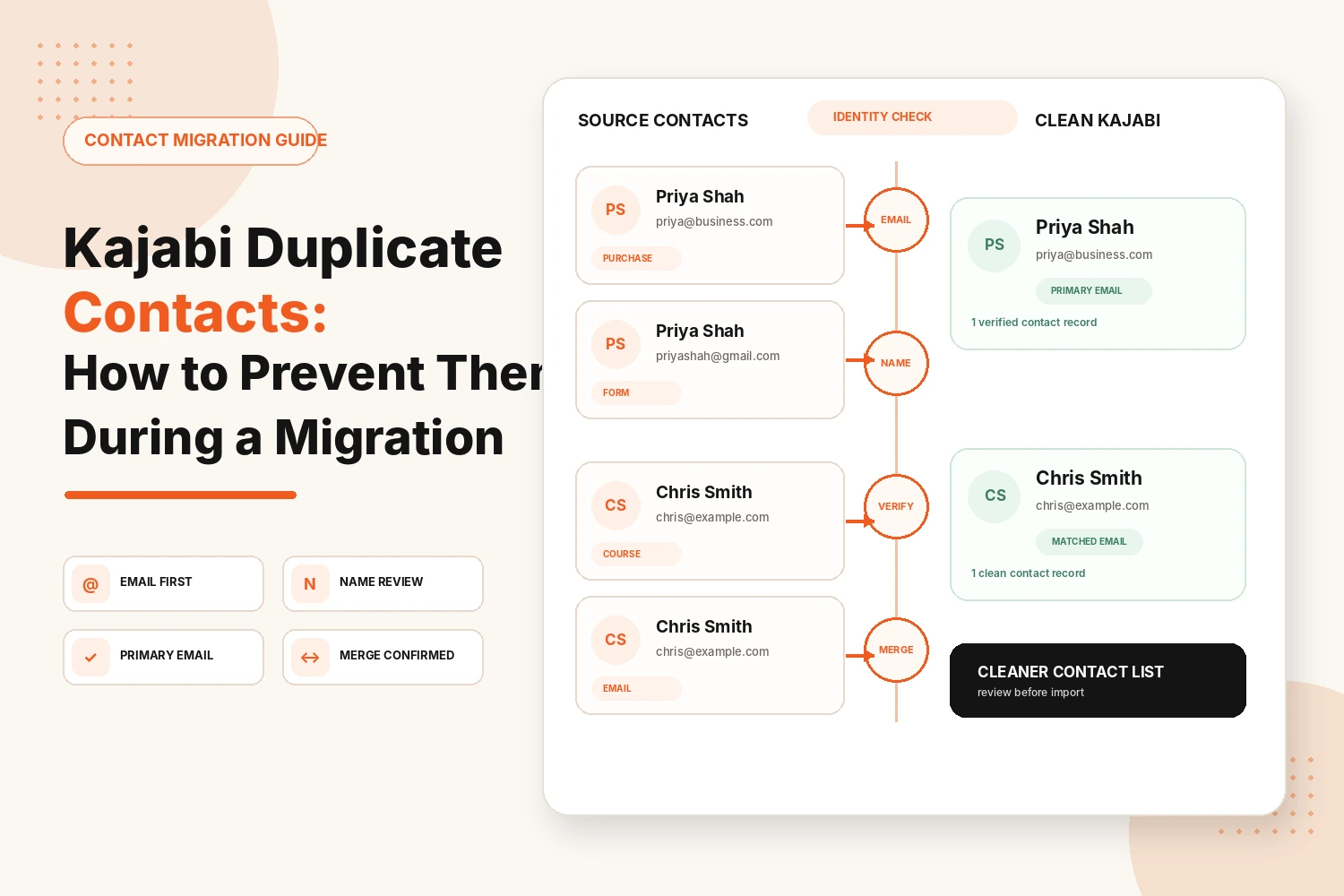
Record A: Priya Shah, priya@business.com
Record B: Priya Shah, priyashah@gmail.com
That could be one customer using two addresses or two people with the same name. Use information already present in the records to decide:
- Phone number
- Company
- Purchase reference
- Product or programme associated with the record
If the evidence is weak, keep the records separate.
Confirm Whether the Records Belong to the Same Person
A matching name proves very little. Two “Michael Brown” rows could be a father and son. Look for stronger signals:
- The same phone number
- The same billing or shipping address
- Purchase dates that never overlap, as if one address replaced the other
- A reply when you email both addresses and ask which one they prefer
If you can't tell, leave both records alone. Merging later is easy once you're sure. Undoing a merge of two different people is far harder.
Choose the Correct Primary Email Before Import
When two records definitely belong to one person, decide which email should represent that person in Kajabi.
Use the address that reflects their current relationship with the business. That may be the email they now use, the one connected with current purchase information, or the address they most recently supplied.
- The address on their most recent purchase
- The one they used to log in on the old platform
- The one they open your emails from
Keep Important Data From the Record You Consolidate
Before removing an extra row, compare its fields with the record you are keeping.
Useful information may include:
- Current phone number
- Company information
- Product reference
- A useful custom field
Keep information that still belongs to the person, but do not copy conflicting values without checking which one is correct.
What Should You Do When One Person Has Two Email Addresses?
First decide whether both addresses still need to exist as separate contact identities. If one email is clearly old, use the current address as the primary record and carry across any useful information from the older row.
If both addresses are still used, do not combine them only because the names match. Confirm how the person uses each address and whether two Kajabi records would create confusion around forms, purchases, or account activity.
Use this sequence:
- Confirm both emails belong to the same person.
- Identify the address they currently use for the Kajabi relationship.
- Compare the information stored under both records.
- Keep the relevant values with the chosen record.
- Note the second email if it may be useful for later checks.
How Do You Find Duplicate Contacts in Kajabi After Migration?
Kajabi recommends searching the Contacts area by name when you suspect one person may have used more than one email address.
To check:
- Open Contacts in Kajabi.
- Search for the person’s name.
- Review repeated names.
- Compare the email addresses and contact details.
- Confirm the identity before changing anything.
This matters because two records using different emails will not appear as an exact email match.
A smaller contact count is not the goal. The useful result is a database where each record belongs to the correct person.
Conclusion
Kajabi duplicate contacts are mainly an identity-matching problem. Start with exact email matches, then review repeated names with different addresses and decide which records genuinely belong together.
Choose the correct primary email before import and keep useful information from any record you consolidate. After the move, search Kajabi by name to catch people who may still appear under more than one email. The aim is simple: one clearly identified person per contact record whenever the available data allows it.
Need Help Cleaning Contacts Before a Kajabi Migration?
We can help prepare contact data, map customer access and move records into Kajabi with a controlled migration process.
Plan My Kajabi MigrationFAQs
Does Kajabi create duplicate contacts with the same email address?
Normally, no. Kajabi uses the email address to identify a contact, so activity using the same email is kept under one contact account.
Can one person have two contact records in Kajabi?
Yes. One person can have two Kajabi records if they use different email addresses for forms, purchases, or manually added contacts.
Why does the same customer appear twice in Kajabi?
The customer may have used two email addresses. Search their name and compare both records before deciding they are duplicates.
How do I find duplicate contacts in Kajabi?
Open Contacts and search by the person’s name. Kajabi recommends name search for finding people who may have records under multiple email addresses.
Can duplicate Kajabi contacts be merged?
Yes. Kajabi supports merging duplicate accounts in supported situations, including duplicate contacts with purchased offers. Confirm the identity first.
Should I remove duplicate contacts before migrating to Kajabi?
Resolve confirmed duplicates before import where practical. Do not remove uncertain matches simply because two records have the same name.